
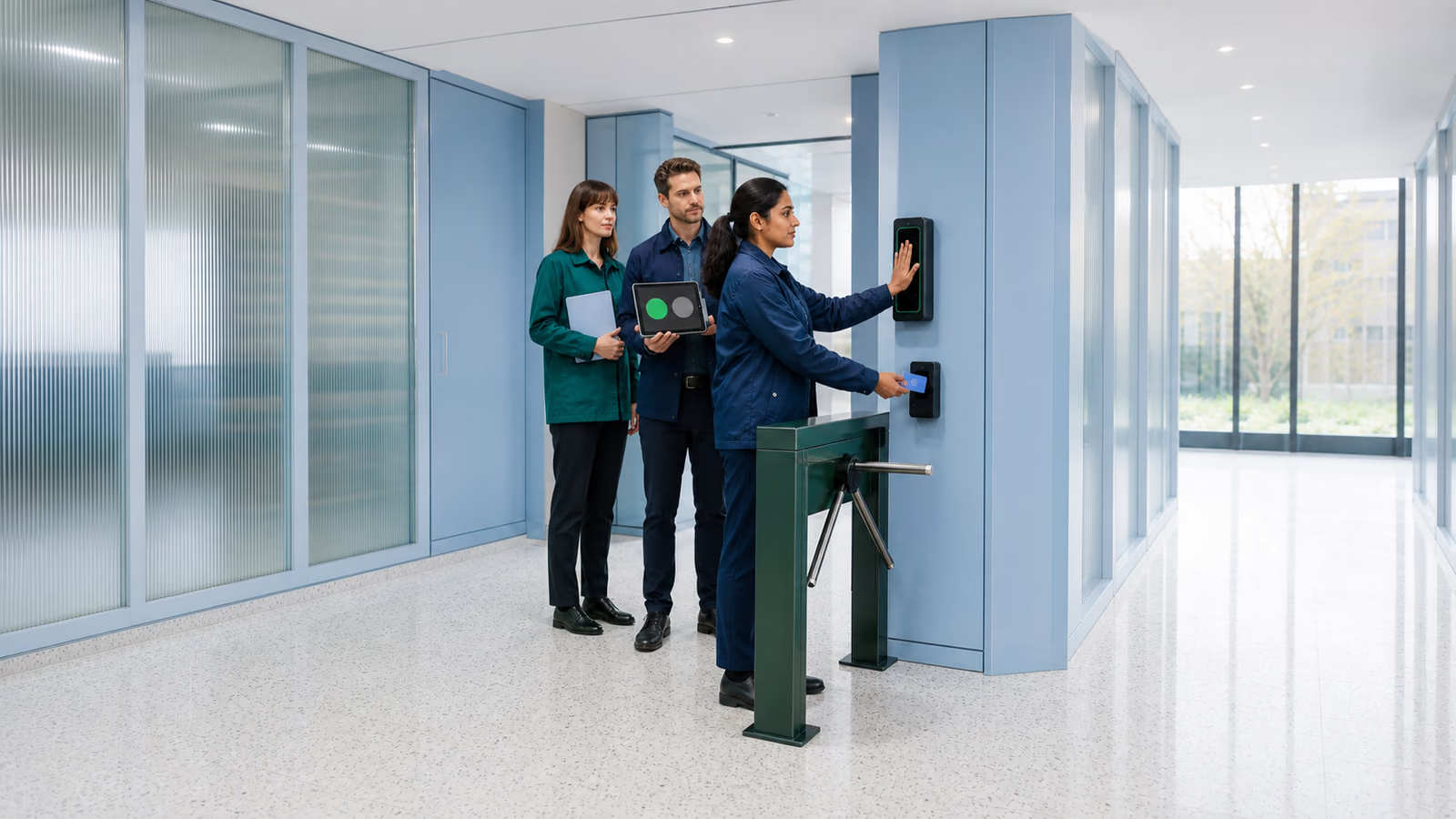
Benefits, risks and governance of biometric access
Biometric systems can make authentication faster and reduce dependence on passwords, but they also introduce privacy, legal and availability risks. A good project defines why biometrics are needed, where templates are stored, how users recover access, how GDPR and DPIA are handled and how biometric verification works with MFA, IAM and device security.
Benefits
Faster login, stronger local verification and better user ergonomics when combined with MFA and device trust.
Risks
Template theft, spoofing, unavailable readers, excessive data processing and weak fallback processes.
Governance
Purpose, processing grounds, DPIA screening, retention, permissions and fallback procedures need documented decisions.
What are biometric systems in IT security
Biometric systems use personal characteristics such as fingerprints, facial features, iris patterns, voice or behavioural traits to verify identity. In corporate IT, biometrics most often support sign-in to laptops, applications and mobile devices, or control access to technical areas. They are one component of identity management, not a standalone cybersecurity programme. A deployment should define a specific, lawful purpose, protect biometric templates, provide a tested fallback access method, log relevant events and integrate with MFA and IAM.
MFA and biometrics
Biometric verification should complement MFA, device trust and account-recovery rules rather than replace the identity process. Management, IT and security teams should assess where it reduces friction without weakening recovery or privacy controls.
PAM
Control of administrative accounts, privileged access and activities on critical systems.
Cybersecurity
A broader programme to protect identity, devices, data and security processes.
Deployment and testing plan
A biometric deployment needs named owners, lawful purpose, protected templates, fallback authentication, accuracy tests and scheduled review.
Assess whether biometrics are appropriate
Virtline first qualifies the biometric use case, privacy constraints and fallback path, then recommends a pilot, security review or controlled rollout.
Where does biometrics make sense in a company?
Biometric authentication is useful when it shortens secure sign-in and reduces reliance on passwords. It can serve as a local authentication component, for example with FIDO2/WebAuthn or Windows Hello for Business, where the relying service receives an authentication result rather than an image of a finger or face. Not every use case needs a reader; MFA, session controls or better offboarding may deliver more value.
- Login to laptops and mobile devices using a local reader and cryptographic keys.
- Access to Microsoft 365, VPN and critical applications as MFA or passwordless.
- Access control to server rooms, warehouses, laboratories and zones requiring strong identification.
- Administrator verification for privileged actions, combined with PAM and event logging.
- Additional confirmation of high-risk operations if the process has an alternate path for the user.
MFA
Biometrics should support multi-factor login, not replace the entire access control model.
Cybersecurity
The response to access abuse must include logs, decision owners and incident procedures.
ISO 27001
An auditable system requires a description of risks, exceptions, owners, and evidence of operational controls.
Biometrics does not replace all identity security
A fingerprint or facial recognition does not correct excessive permissions, missing access reviews, hijacked sessions, vulnerable devices or unmanaged service accounts. Biometrics should therefore be designed alongside IAM, MFA, EDR, segmentation, access policies and offboarding procedures. Users, roles, applications and privileged accounts remain governed through IAM, while devices remain subject to endpoint and conditional-access controls; biometrics can confirm user presence as one sign-in factor. Critical operations still require enforced MFA policies, event logging and a tested fallback access method.
- business and legal purpose for using biometrics in a specific process
- linking to MFA, IAM, conditional access and permissions registry
- fallback procedure for a user who cannot use the biometric method
- Review evidence, a documented legal basis and risk-owner decisions; in employment, do not assume employee consent alone is sufficient.
Microsoft 365
Organising MFA, access policies, groups, devices, and sharing in a Microsoft environment.
EDR
Protect devices running biometric login and enterprise apps.
Audit NIS2
Assessment of organisational and technical identity and access protection measures.
GDPR, DPIA and biometrics
Biometrics used for unique identification require special protection. Identify an Article 6 GDPR legal basis and an applicable Article 9 exception, alongside national rules. Assess DPIA obligations before processing using risk and the supervisory authority’s list; consent or purchasing a device alone does not establish lawfulness.
- Check whether the system stores an image of a biometric feature, a mathematical template, or local device confirmation.
- Limit data collection to a purpose that is necessary and proportionate.
- Provide an alternative verification method for people who cannot or should not use biometrics.
- Describe retention, deletion of data after an employee leaves, and handling of a data breach incident.
- Engage a data protection officer or legal advisor before implementing a production solution.
Technical risks with biometric systems
Biometrics have different risk characteristics than a password. The password can be changed, but the biometric feature generally cannot. Therefore, the most important are the storage architecture, spoofing resistance, device security and emergency procedure. Biometrics can increase convenience and security, but only if failed attempts, exception processes and misuse scenarios are described in advance. Risks arise from overuse, lack of consent or legal basis, insecure devices, lack of fallbacks, unclear deletion, weak logging and false expectations of detection accuracy.
- Central database of biometric templates without strong encryption, separation and access control.
- Test presentation-attack resistance, false acceptance and false rejection for the actual user population. A “liveness” claim does not guarantee protection.
- Loss of a device running local biometric login without disk encryption and EDR.
- No fallback process when the user cannot use biometrics or the reader stops working.
- Failure to link biometrics to offboarding, role review, account blocking and event logging.
Checklist for implementing biometrics in the company
A biometric deployment needs business, legal and technical decisions, plus a named team to support the system after launch. Assess data protection and select the technology before testing one use case with a small group. Measure errors, sign-in time, security events, user feedback and the fallback method. Before wider deployment, define roles and permissions, train users and hand over documentation to the support team.
- Define the use case: device login, application access, physical control or high-risk operations.
- Choose an architecture with minimal processing of biometric data.
- Combine biometrics with MFA, FIDO2/WebAuthn, access policies and role overview.
- Document the DPIA screening and complete a DPIA where required before processing starts. Establish lawful grounds, minimisation and an alternative method.
- Test onboarding, offboarding, device loss, reader failure and security incident.
- Take care of reports, logs, process owners and periodic performance reviews.
1. Assess suitability
Use case, DPIA, data architecture, alternative access method and technical requirements.
2. Controlled pilot
Test of the selected group, FIDO2/WebAuthn, logs, communication to users and exception handling.
3. Acceptance and operation
Reports, role overview, offboarding, device updates, tickets and operational documentation.
How Virtline helps with biometrics and access
Virtline assesses whether biometrics will reduce risk in a specific process. We help integrate it with MFA, IAM, Microsoft 365, device protection and privileged access controls. We also define event logging, data protection and support procedures, with clear responsibility for user access, exceptions and failures.
Access analysis
Review identity, account, device, application and administrative risks.
Implementation of MFA
Selection of authentication components, access policies, communication and user testing.
IT outsourcing
Maintaining access policies, devices, tickets, documentation and reports after implementation.
Decision model: when biometrics are justified
It is worth implementing biometrics only where it actually reduces risk or improves ergonomics without excessive data processing. If the problem is broad permissions, lack of MFA, or weak devices, the priority should be basic identity checks rather than purchasing readers.
- Candidates for assessment: protected areas, administrator sign-in and local authentication; none of these purposes alone establishes lawfulness.
- In Poland, UODO does not permit employee biometrics solely for attendance recording. Access to specially protected information or premises requires a separate necessity assessment; convenience alone is insufficient.
- Risky: no alternative method, required DPIA, deletion rules or accountable process owner.
- First to improve: MFA, FIDO2, EDR, disk encryption, role reviews, offboarding and event logging.
Biometric system documentation and test results
Keep a record of legal and technical decisions and system test results. Include the risk analysis, data protection assessment, configuration, roles, test reports, approvals and deletion rules. These records support checks of the safeguards during an audit, incident or access review.
- Description of the use case, purpose of processing, legal basis, scope of data and alternative access method.
- Documented decision on whether a DPIA is required, the completed assessment where necessary, planned safeguards and responsible owners.
- Template storage architecture, encryption, separation, administrator control and event logging.
- Test results: onboarding, offboarding, reader failure, device loss, access reset and spoofing attempts.
- Periodic review plan: roles, devices, incidents, effectiveness, updates and a report for the process owner.
Will identity documents be replaced by security scanners
In most companies, biometric scanners do not replace identity documents or HR verification. They can support access decisions in selected processes, but the organisation still needs onboarding, offboarding, identity proofing and an alternate route for users who cannot use biometrics.
MFA architecture
Decide whether biometrics will work locally on a device, through FIDO2/WebAuthn or as part of another MFA flow.
Privileged access
Reserve stronger verification for actions where misuse would affect critical systems or sensitive data.
Security review
Confirm whether the risk is identity proofing, account takeover, physical access or device compromise.
How biometric systems can protect company data
Biometrics protect data only when they reduce unauthorised access to accounts, devices, rooms or high-risk operations. The key is to combine them with role-based permissions, device encryption, logging and a fallback process.
- Use local biometric verification on managed devices when possible, rather than a central template database.
- Protect the device with disk encryption, EDR, patching and remote wipe procedures.
- Connect biometric login to conditional access, MFA policies and periodic role reviews.
- Log privileged actions and failed verification attempts in systems reviewed by the security team.
- Keep an alternate verification path so availability is not dependent on one reader or one biometric factor.
When to use biometric systems in a company
Biometrics make sense where the business risk is high, the process is frequent enough to justify the cost and the organisation can protect biometric data responsibly. They are weaker as a quick fix for problems caused by missing MFA, excessive permissions or unmanaged devices.
- Use them for privileged operations, secured zones, managed endpoints and high-risk workflows.
- Avoid them where a simpler FIDO2 key, MFA prompt or access review would solve the problem with less data risk.
- Choose biometrics only where necessity and lawful grounds are documented, an alternative is available and any required DPIA is completed before use.
- Define onboarding, offboarding, device replacement and exception handling before buying readers.
- Review effectiveness after the pilot instead of assuming the reader automatically increases security.
Can biometric data be stolen and used by an attacker
Do not assume every product stores only a template and never retains an image. Check architecture, enrolment, logs and integrations. Windows Hello keeps biometric data locally; this does not apply automatically to every system. A template breach still requires a response.
Which biometric traits are the most accurate
Accuracy depends on the sensor, environment, user group and anti-spoofing controls. Fingerprint, face, iris and behavioural biometrics have different false-acceptance, false-rejection, privacy and availability trade-offs, so the pilot should test the actual workplace conditions.
Can biometrics completely replace passwords
With FIDO2 or Windows Hello for Business, biometrics can locally unlock a cryptographic key. Protection combines possession of the authenticator with activation, not the reader alone. Provide a secure non-biometric alternative.
How much does implementing a biometric system cost
Cost depends on users, devices, integrations, privacy assessment and support. Compatible laptops may reduce reader purchases but still require licensing, configuration and exception checks. Compare the full pilot and operating cost with simpler access methods.
- Count licences, readers, compatible devices, identity integrations and deployment support.
- Include DPIA, legal review, employee communication and documentation in the budget.
- Reserve time for pilot testing, exception handling and training for helpdesk and administrators.
- Plan operational costs for support tickets, reviews, updates, failed readers and user offboarding.
- Compare the result with lower-risk alternatives such as FIDO2 keys, MFA policies and access reviews.
Contact us about biometrics, MFA and IAM
Describe the process, user groups, data, devices, fallback methods, GDPR needs and IAM integrations. We will assess whether biometrics are technically, legally and commercially justified. Call +48 12 200 27 10 if biometric systems in IT security are relevant to operations, security, data protection or auditability. During the consultation, we determine the goal, user group, processed data, GDPR risks, fallback authentication methods and integration with IAM.
- experience in IT security projects
- practice from company projects as a reference point for access control
- phone +48 12 200 27 10 to talk about the scope and risk of implementation
Identity-security experience
Identity, access-control and audit experience informs biometric projects without overlooking privacy or fallback authentication.
Experience from corporate environments
Recommendations reflect real user populations, false matches, privacy requirements, sensor failures and day-to-day support constraints.
Plan a safe biometrics pilot
Describe the intended biometric use case; Virtline will frame the pilot, privacy review, security controls and fallback method.







































